

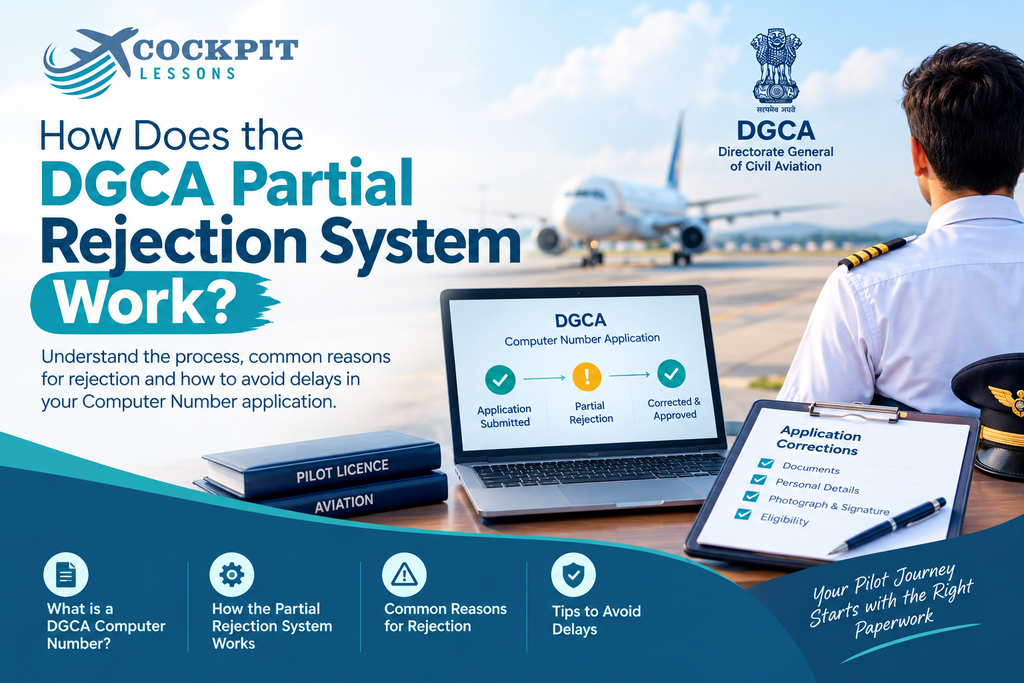
The DGCA Computer Number application process is designed to simplify the application process for students. The DGCA Partial Rejection System is one of the ways to reduce delays during the application process.
The term Partial Rejection System might sound alarming, but there is no need to panic. It simply allows applicants to correct specific issues in their application instead of having the entire application rejected.
In this guide, we explain what the DGCA Partial Rejection System is, how it works, common reasons for partial rejection, and how you can avoid unnecessary delays.
Before understanding the Partial Rejection System, it is important to understand the DGCA Computer Number.
What Is a DGCA Computer Number, and Why Does It Matter?
The Computer Number (CN) is a 10-digit alphanumeric identification number issued by the Directorate General of Civil Aviation (DGCA). It serves as a permanent identification number throughout your flying career.
Once issued, the Computer Number remains associated with your DGCA records as you progress through licences and ratings.
DGCA does not charge candidates for generating a Computer Number.
Without an approved Computer Number, you cannot book a seat for your DGCA theory examinations. A valid Computer Number also helps you track your examination records and is required for processes such as foreign licence conversion.
This is where the DGCA Partial Rejection System becomes important. Since your Computer Number is an important part of your aviation career, avoiding unnecessary delays caused by documentation errors can save valuable time.
The Partial Rejection System identifies specific mistakes in your application and gives you an opportunity to correct them within the permitted period.
Life Before the DGCA Partial Rejection System
Before the Partial Rejection System, even a small mistake could result in the rejection of the entire Computer Number application.
For example, a wrongly attested certificate, an incorrectly formatted photograph, or a missing document could lead to the complete rejection of an application.
In such cases, applicants had to start the process again, resubmit their documents, and go through the review process from the beginning. For students balancing ground classes and DGCA examination preparation, this could result in significant delays.
The Partial Rejection System was introduced to make the correction process more manageable.
How Does the DGCA Partial Rejection System Actually Work?
The Partial Rejection System allows DGCA to identify a specific problem instead of rejecting the entire application immediately.
After submitting your Computer Number application, DGCA reviews the information and documents provided.
If an issue is identified, you may receive an email explaining the specific mistake or document that needs correction.
You can then:
- Log in to the DGCA Candidate Login portal.
- Review the issue mentioned in the partial rejection.
- Correct the specific error or replace the required document.
- Resubmit the application.
- Wait for DGCA to review the correction.
According to the process described here, applicants are generally given three opportunities to resolve the identified issues. If the issues are not resolved within the permitted attempts, the application may be completely rejected and the applicant may need to submit a fresh application.
Step-by-Step: From Application to Computer Number
The process typically follows these steps:
Step 1: Submit the Application
You submit your Computer Number application along with the required personal information, educational records, photographs, signatures, and supporting documents.
Step 2: DGCA Reviews the Application
DGCA reviews the information and documents submitted with your application.
Step 3: Application Is Approved or Partially Rejected
If everything is in order, the Computer Number can be allotted.
If DGCA identifies a specific issue that can be corrected, you may receive a partial rejection notification explaining the problem.
Step 4: Correct the Issue
Log in to the Candidate Login section and correct the specific issue mentioned by DGCA.
You generally do not need to redo the entire application.
Step 5: Resubmit the Application
After making the required correction, resubmit the application for review.
Step 6: Final Review and Computer Number Allotment
DGCA reviews the correction. If the issue has been resolved satisfactorily, the Computer Number can then be allotted.
This process means that a single correctable mistake does not necessarily require you to start the entire application process again.
Common Reasons Behind a Partial Rejection
Some application errors occur more frequently than others. Understanding these issues beforehand can help you avoid unnecessary corrections.
For Commercial Pilot Licence Applicants
For applicants following a Commercial Pilot Licence (CPL) pathway, discrepancies in names and personal details are common reasons for document-related queries.
Your name on your Class 10 certificate should match the details provided in your application. If you already hold an SPL, PPL, or another aviation document with a different spelling or name variation, DGCA may require appropriate supporting documentation.
Other possible issues include:
- Incorrect document attestation
- Incorrect photograph format
- Incorrect signature format
- Missing documents
- Mismatched personal details
- Poor-quality or unclear document scans
If there has been a legal name change, the appropriate supporting documents or affidavit may be required, depending on the circumstances.
For Private Pilot Licence Applicants
The Private Pilot Licence (PPL) pathway has different eligibility requirements from the CPL pathway. However, applicants must still meet DGCA’s documentation requirements.
Potential issues can include:
- Incorrect or incomplete educational documents
- Personal-detail mismatches
- Documentation related to foreign flying hours
- Missing or incorrect licence-related documents
- Incorrectly formatted photographs or signatures
If you have completed flying hours outside India, make sure the relevant documentation and approvals are in place before including those details in your application.
How Long Does Fixing a Partial Rejection Take?
A partial rejection can add additional processing time because DGCA needs to review the corrected information after resubmission.
The exact processing time can vary depending on the nature of the issue and the DGCA’s workload. Applicants should therefore avoid relying on a fixed number of days as a guaranteed processing period.
A partial rejection generally does not mean that you have to start the entire application from scratch.
However, if the application is ultimately completely rejected, you may need to submit a fresh application and follow the applicable requirements again.
It is also important to remember that you generally need an allotted Computer Number before you can proceed with booking the relevant DGCA theory examination.
Can You Avoid the DGCA Partial Rejection System?
The best way to reduce the chances of a partial rejection is to submit a complete and accurate application from the beginning.
Before submitting your Computer Number application:
Check Your Name Carefully
Make sure your name and other personal details match your official documents.
Pay particular attention to:
- Spelling
- Order of names
- Date of birth
- Father’s or mother’s name, where applicable
- Existing aviation records
Check Your Documents
Make sure all required documents are available, properly attested where required, and clearly scanned.
Follow Photograph and Signature Requirements
Check DGCA’s current specifications for:
- Photograph dimensions
- Background
- File format
- File size
- Signature requirements
Requirements can change, so always verify the latest specifications before submission.
Check Foreign Flying Documents
If you have completed flying hours or training outside India, ensure that the relevant documentation and DGCA requirements have been fulfilled before submitting your application.
Use Clear Scans
Avoid uploading blurry, cropped, damaged, or difficult-to-read documents.
A few extra minutes spent checking your documents before submission can help prevent unnecessary corrections later.
What Does This Mean for Your CPL or PPL Journey?
If you are working toward a
(CPL) or Private Pilot Licence (PPL), your Computer Number application is an important early step in the DGCA examination process.
Before submitting your application, carefully check your personal details, educational documents, photographs, signatures, and other supporting documents.
A partial rejection is not necessarily a major setback. It gives you an opportunity to identify and correct a specific issue in your application.
However, submitting accurate documentation the first time can help you avoid additional processing time.
Conclusion
The DGCA Partial Rejection System is designed to provide applicants with an opportunity to correct specific issues in their Computer Number application instead of immediately having the entire application rejected.
Whether you are planning to pursue a Private Pilot Licence (PPL) or a Commercial Pilot Licence (CPL), understanding the process can help you prepare your application more carefully.
Check your documents, verify your personal details, follow the latest DGCA requirements, and review everything before submitting your application.
Get Your Computer Number Application Right the First Time
At Cockpit Lessons, we help students prepare their Computer Number applications by checking their details, documents, and formatting before submission.
Whether you’re starting your Private Pilot Licence (PPL) journey or working toward a Commercial Pilot Licence (CPL), proper preparation can help reduce avoidable documentation issues and delays.