
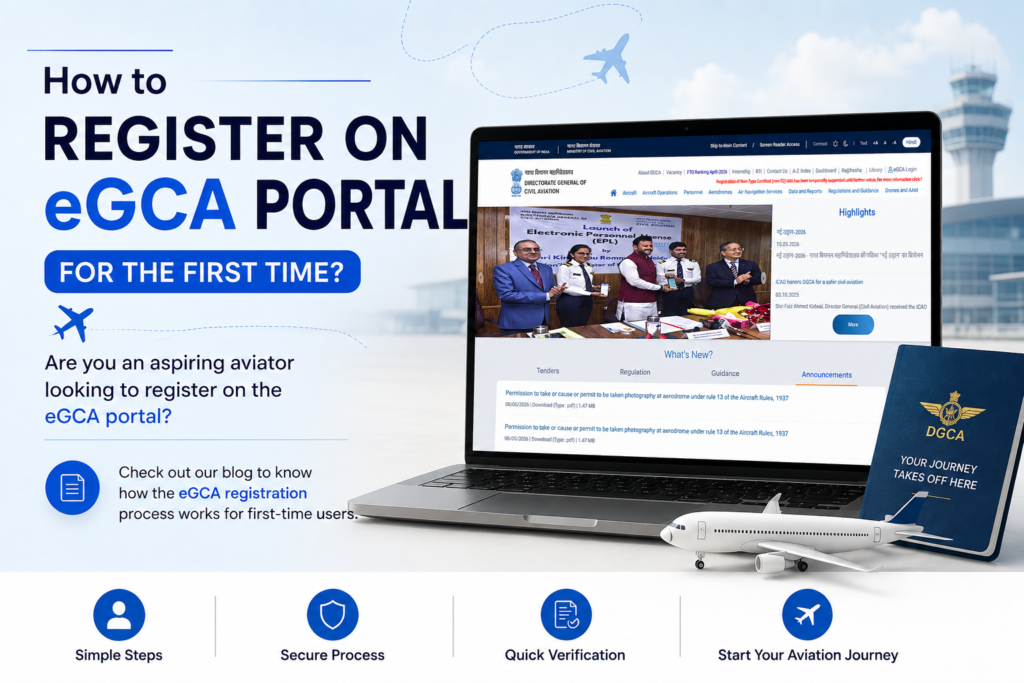
Even before you start your aviation journey in India as a commercial pilot, you must ensure eGCA registration and login. This mind sounds a bit funny, but that’s the legal process towards a successful aviator’s journey.
This eGCA registration on the portal is absolutely mandatory.
However, navigating government portals can sometimes feel confusing. But do not worry. We have got you covered. Let’s break down everything you need to know about eGCA registration and login.
What is the eGCA Portal?
The eGCA stands for e-Governance of Civil Aviation. It is a massive digital platform launched by the Directorate General of Civil Aviation (DGCA).
In the past, aviation processes involved endless piles of paperwork. Getting a license took a lot of manual effort. Booking a medical exam was tedious. The DGCA launched this portal to make aviation processes smooth. Now, everything happens online.
From brand-new student pilots to experienced commercial pilots, everyone must use this portal. It acts as your digital aviation identity. All your records live here safely, including your licenses and medical details.
Why is eGCA Registration Mandatory?
All flying academies require your eGCA ID. You need it before you begin your actual pilot training.
Here is why this portal is so important for your career:
First, you need an eGCA ID to apply for your Class 2 and Class 1 medical exams. You cannot become an airplane pilot without passing these medicals.
Second, to appear for your DGCA ground exams, you need a Computer Number. You have to apply for this number through the portal. Without the number you cannot sit for any pilot exam.
Third, whether it is a Student Pilot License (SPL) or a Private Pilot License (PPL), all applications go through eGCA.
Finally, every single flight hour you complete is recorded here. The e-logbook feature tracks your flying experience accurately.
So it is mandatory for registration and eGCA login before you even start your aviation journey.
Documents Required for eGCA Registration
Before you go to create your account in the portal, prepare yourself with all the documents. Keep the following documents ready before you start the registration process. All files should be in PDF or JPG format.
Valid Email and Mobile Number
You need to use active email and phone numbers for registration. You will receive your One-Time Passwords (OTPs) there.
Identity Proof
You can use your Aadhaar card (the best option). Or a Passport, Voter ID, or even a PAN card also works.
Address Proof
Aadhaar, Passport, electricity bill, or a recent bank passbook will work.
Educational Certificates
Keep your 10th and 12th mark sheets ready. Remember, Physics and Mathematics are mandatory subjects for pilot training.
Passport-Sized Photograph
Make sure the passport photograph is clearly visible. Use a light background. Do not wear sunglasses or hats.
Scanned Signature
Use a blank ink pen to sign on white paper. Scan it clearly.
Step-by-Step eGCA Registration Process
Ready to register? Follow these simple steps and create your profile without any hassle.
Step 1: Visit the Official Website
Go to the official DGCA portal. Visit the portal and click on the ‘eGCA Login’ button.
Step 2:Click on Sign Up
Since you are a new user, look for the ‘eGCA Login’ option on the top right corner of the home page. Click on it.
Step 3: Choose Your Role
The portal caters to many aviation professionals. From the drop-down menu, select ‘Pilot’. This is your applicant type.
Step 4: PMR Status
The system will ask about your Previous Medical Record (PMR) number. If you are a fresh student, select ‘No’. If you already have a PMR file, select ‘Yes’. Then enter the number.
Step 5: Fill in Your Details
Enter your full name, date of birth, and nationality. Fill in your educational qualifications. Type your name exactly as it appears on your 10th mark sheet. It must match your Aadhaar card.
Step 6: Upload Documents
Upload your ID proof and address proof. Add your photograph and signature in the designated sections. Ensure the scans are readable.
Step 7: OTP Verification
The system will send OTPs to your registered email address. You will also get one on your mobile number. Enter these codes. This validates your contact details.
Step 8: Submit Your Application
Review all your details one last time before you click ‘Submit’. The DGCA will now verify your details. Once approved, you will receive your unique eGCA Login ID!
How to Log In to the eGCA Portal?
Now, go back to the eGCA login page. Enter your unique eGCA Login ID as the username. Enter the password you created. Solve the simple CAPTCHA puzzle on the screen. Click login.
You will now see your personalized dashboard. From here, you can access all DGCA services. You can track your applications or update your profile.
What Happens After Registration?
Once your eGCA registration is done and the profile is active, your journey truly begins. First, you will apply for your Class 2 Medical assessment. After passing that, you will apply for your Computer Number.
You must clear your DGCA ground exams. The exams include tests on subjects like Air Navigation, Meteorology, and Air Regulations. Once you clear every pilot exam, you will join a flight school or FTO. Then you start your actual pilot training in the air.
Start Your Journey with Cockpit Lessons
It takes immense dedication and hard work to achieve your position in the aviation industry. You need the right guidance to succeed. At Cockpit Lessons, we prepare you for absolute success.
Our ground school classes follow the latest DGCA syllabus. And our instructors are there to help you clear your exams on the very first attempt. Even if you encounter any issues during the eGCA registration process, we guide our students through the complex steps.
Get in Touch with Us Today!
Ready to become an airplane pilot? Contact us today. Let’s start your pilot training with the best instructors in the industry.
Frequently Asked Questions (FAQs)
1. What is the eGCA portal used for?
The eGCA portal is a single-window digital platform. It handles all DGCA services. Pilots use it to book medical exams, apply for licenses, and track applications. They also maintain their digital flight logbooks here.
2. Is eGCA registration mandatory to become an airplane pilot?
Yes, it is absolutely mandatory. You cannot apply for your medical assessments or get a computer number without it. You cannot apply for any pilot licenses without an active eGCA ID.
3. How long does it take to get the eGCA ID?
First, you submit your online application. You upload the required documents. The DGCA takes a few working days to verify your details and activate your eGCA ID.
4. Can I update my details after eGCA registration?
Yes, you can. You can log in to your dashboard. From there, you can request profile updates. Major changes, such as name corrections, require DGCA verification again.
5. Can I expect help from Cockpit Lessons if faced with any issues during the eGCA registration?
At Cockpit Lessons, we guide our students through the entire process. We ensure they make no mistakes. We always assist our students with any issues during their aviation journey.
Been playing here for a few weeks now and the winning streaks are insane. The graphics are crisp and everything feels legit. Visit insouthwin777 now.
Really loving the interface here. Everything is so intuitive and the payouts are fast. If you are looking for a top-tier experience, check out idmustang303.
VN666TV, sounds intriguing. I’m looking for a new spot to chill and play. Let’s see if this one delivers. Hope the odds are in my favour! Give it a look vn666tv
The jackpot hits here feel way more frequent than on other sites. It is such a thrill every time I spin. I am totally hooked on slotmax.
[3981]M88 Casino – Đăng Nhập, Đăng Ký & Tải App M88 Nhận Khuyến Mãi Mới Nhất,Truy cập M88 Casino để trải nghiệm thế giới cá cược đẳng cấp. Đăng ký, đăng nhập nhanh chóng và tải app M88 ngay hôm nay để nhận những khuyến mãi mới nhất và hấp dẫn nhất! visit: m88
[6686]TC88 | Link vào trang chủ và cách chơi baccarat online,Truy cập tc88 để trải nghiệm sảnh game đẳng cấp. Hướng dẫn tải app tc88 nhanh chóng, nạp tiền casino qua momo tiện lợi và chia sẻ kinh nghiệm quay hũ nổ hũ. visit: tc88
Finally an app that actually delivers on its promises. Easy installation and a great user interface. Download getjiliapp today.
Game50bet? Not bad for a quick session. They have a good range of live dealer games. Would be cool if they introduced more promotions. Ready to play? Head to game50bet
Finally found a reliable way to access my account without any lag. The login process at lancar138login is super quick and hassle free.
Really enjoying the current promotions. The gameplay is fluid and the wins feel rewarding. Jump into pkq98 and see for yourself.
Great selection of games and the promotions are actually worth claiming. I had a great time exploring idmabok88 today.
I’ve tried a few platforms lately but this one really stands out. The interface is super smooth and the payouts are fast. Definitely my new go-to spot! bdmostplaybet
Great selection of games and the payouts are handled very efficiently. I trust this site for my leisure time. Check out bigobet899 if you want a fair game.
Love the vibe here! Everything feels professional and the games are addictive in a good way. I’m spending most of my free time on phevojili now.
I’ve been trying a few platforms lately and this one really stands out. The interface is super smooth and the payouts are fast. Definitely recommend checking out bdv444 if you want a reliable experience.
Found this place through a friend and I am glad I did. Everything is professional and the customer support is actually helpful. 6733aabet
Such a refreshing experience. The games are diverse and the rewards are actually attainable. I’m spending way too much time on br888game33 lately
[6170]Luckycalicobet login link at slots na tumatanggap ng GCash,Gamitin ang luckycalicobet login link para sa mabilis na access. Maaari ring luckycalicobet download APK para sa slots at baccarat online. Sali na! visit: luckycalicobet
[7696]Jangkar128: Login Daftar Akun dan Slot Gacor Deposit Dana,Jangkar128 menyediakan akses login dan daftar akun mudah. Nikmati slot gacor deposit dana serta download apk casino android untuk main lebih praktis. Yuk gabung! visit: jangkar128
Situs yang sangat terpercaya dan fair play. Saya sudah mencoba beberapa tempat tapi di sini yang paling nyaman dan winrate-nya oke. Langsung ke idarmorbet78
I’ve tried a few platforms but this one feels much more reliable. The payouts are fast and the support team is helpful. Definitely recommend vnk89betcom.
The mobile experience is just top notch. I can play my favorite games anywhere thanks to 7a777app.
The mobile experience here is just top-notch. I can place my bets on the go without any lag. If you are searching for a stable app, just go with 422betapp.
If you are looking for a real casino feel from your own home, this is it. The games are exciting and the withdrawals are fast. n444casino is a winner.
Quick and secure access every time. I appreciate the stability of this portal. For the fastest entry go with bosku777login.
Such a vibrant platform with so many exciting options. I managed to hit a decent jackpot yesterday and the credit was instant. Love brriquezaslot
I’ve been using this site for a while now and the payout speed is impressive. Definitely one of the most reliable platforms I have found. Check out sv168top for a great experience.
The game variety here is insane. I spent the whole weekend exploring different slots and the bonuses are actually fair. Check out ve88game for a great time.
Best app experience I have had in a while. It is fast, intuitive, and the selection of games is massive. Perfect for playing on the go. 80gamesappvip